For the complete documentation index, see llms.txt. This page is also available as Markdown.

API Access

The RootCause REST API lets you programmatically manage workspaces, datasets, ontology, Digital Twins, simulations, and reports. The API page is the hub for all programmatic access. It is where you create and manage API keys, explore the API reference, connect MCP clients, and register OAuth apps.

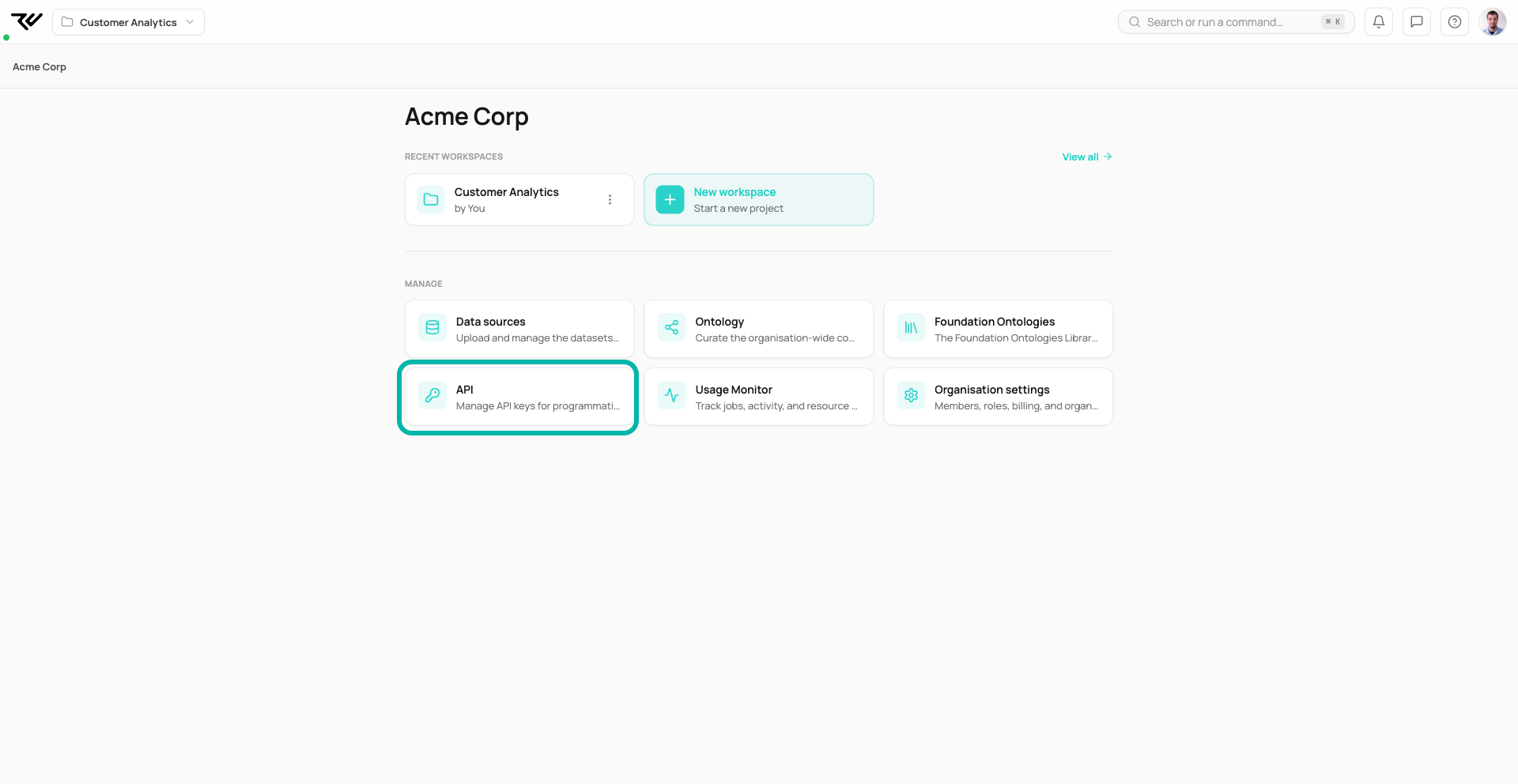
To open it, go to the Organization home and click the API card under Manage.

The Organization home with the API card highlighted under the Manage section
The API page lives on the Organization home, under Manage.

The page is organized into six sections:

Section
Purpose

Getting Started

Authentication, code examples, and links to the full API reference

MCP Integration

Connect Claude Code, Claude Desktop, Cursor, or any MCP client. See MCP Integration

Connected Apps

Assistants and apps you have authorized to reach the organisation — revoke any of them here

OAuth Apps

Register confidential OAuth clients for third-party apps. See OAuth Apps

Create API Key

Generate a new key with fine-grained permission scopes and optional expiry

Manage Keys

View, copy, and revoke your existing API keys


Authentication

All API endpoints live under /api/v1/ on your platform domain. Every request requires a Bearer token in the Authorization header:

The Getting Started section shows the same example in Python and JavaScript, with your platform's real URL filled in.

The API page with the Getting Started section expanded: the authentication cURL example with Python and JavaScript tabs, and Resources links to the Interactive API Reference and the OpenAPI Specification, above the collapsed MCP Integration, Connected Apps, OAuth Apps, Create API Key, and Manage Keys sections
The API page opens on Getting Started: the authentication example in cURL, Python, or JavaScript, with the API reference links below and the other sections stacked underneath.

API reference

Two resources are linked from the Getting Started section:

  • Interactive API Reference (/api/v1/docs) explores every endpoint, lets you try requests against your data, and shows request and response schemas.

  • OpenAPI Specification (/api/v1/openapi.json) is the OpenAPI 3.1 spec, which you can feed to a code generator to produce a typed client in your language of choice.


Creating an API key

Open the Create API Key section and fill in:

  • Key name — a label you will recognize later, such as "Production MCP" or "CI Pipeline".

  • Workspace scope — either Org-wide (the key can list and access all workspaces) or a single workspace. Prefer workspace-scoped keys for integrations that only need one project.

  • Permission scopes — the individual permissions the key carries, grouped by area. Select only what the integration needs; Select all exists but should be the exception.

    Scope area
    Grants
    Actions

    Sources

    Access and manage uploaded data sources

    read, write, delete

    Datasets

    Read and modify datasets derived from your sources

    read, write, delete

    Ontology

    Browse and edit concepts, relationships, and metadata

    read, write, delete

    Digital Twins

    Manage causal models and run structural learning

    read, write, delete, execute

    Simulations

    View and run what-if simulations on digital twins

    read, execute

    Connectors

    Configure and manage external data connectors

    read, write

    Catalog

    Browse the workspace data catalog

    read

    Jobs

    Monitor background jobs and pipeline runs

    read

    Exports

    Download generated reports and data exports

    read

    Agent

    Interact with the AI assistant and MCP tools

    read, write

    Reports

    Create and view analysis reports

    read, write

    There is no separate Workspaces scope: listing workspaces is covered by the Sources read scope.

  • Expiry (optional) — an end date after which the key stops working. Set one for keys used in CI/CD or temporary scripts.

  • IP allowlist (optional) — a comma-separated list of IPs allowed to use the key. Leave empty to allow all.

The Create API Key section with the key name CI Pipeline, workspace scope Org-wide, and the permission scope groups — Sources, Datasets, Ontology, Digital Twins, Simulations, Connectors — with Digital Twins and Connectors ticked, reading 6/24 scopes selected
Creating a key: a recognisable name, a workspace scope, and only the permission scopes the integration needs — here 6 of the 24.

Click Create API key. The new key is displayed after creation; copy it and store it somewhere safe.


Managing keys

The Manage Keys section lists every key you have created, filterable by Org-wide or Workspace scope. From here you can view, copy, and revoke keys.

The Manage Keys section listing one key named CI Pipeline with digital-twins:all and connectors:all scopes, Org-wide scope, no expiry, and copy and delete actions, above a Keep your API keys safe callout
Manage Keys: every key with its scopes, expiry, last use, and the copy and revoke actions.

Last updated